
When your fiber or cable line goes down, work stops: phones, Microsoft 365, payment systems, all of it. AT-NET installs, integrates and manages Starlink for business so your office fails over to satellite internet automatically when your ISP has an outage, and so job sites and remote facilities get fast internet where cable and fiber don’t reach. We serve businesses in Charlotte, Charleston, Columbia, Greenville, Jacksonville, Knoxville and the surrounding areas.
Schedule a Starlink site survey or call (704) 831-2500.
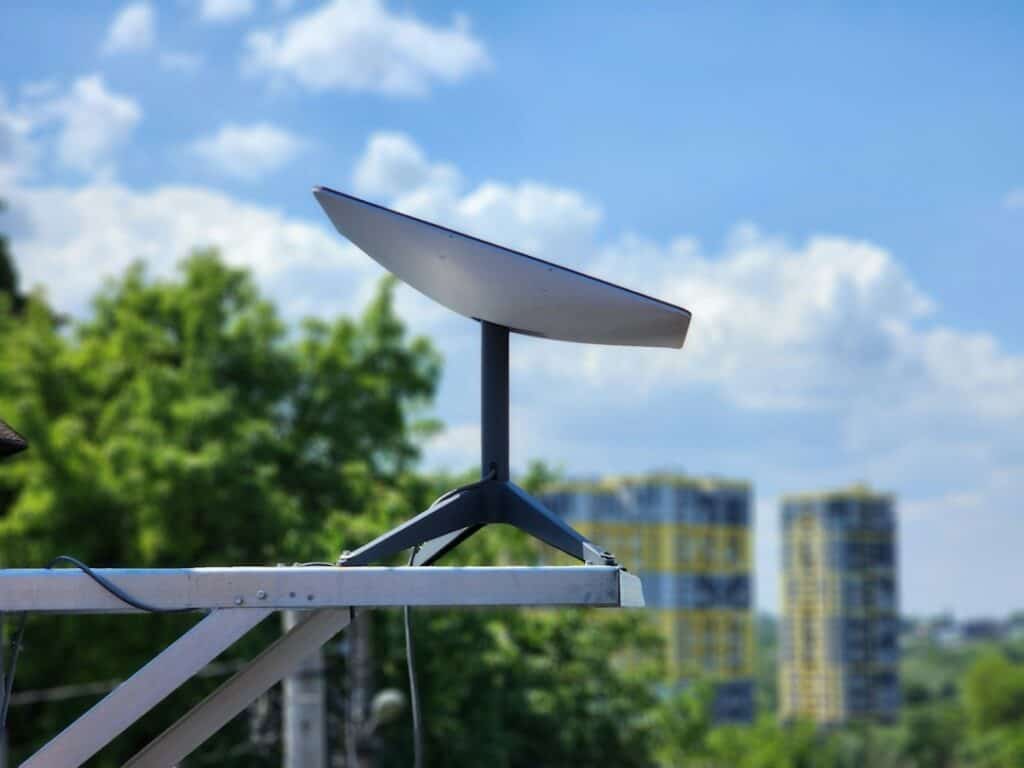
Starlink Backup Internet: Stay Online When Your ISP Goes Down
Most “backup” internet is a second line from the same street, the same poles or the same conduit as the first, so the backhoe or storm that cuts one usually cuts both. Starlink reaches your building from low-earth-orbit satellites, a completely separate path from your wired ISP. Connected to a firewall or router that supports dual-WAN failover, it takes over automatically when the primary line drops and hands traffic back when service returns.
- True path diversity: no shared poles, conduit or local carrier equipment with your primary circuit.
- Automatic internet failover: health checks detect the outage and move traffic to Starlink without anyone touching a cable.
- Low latency for real work: Starlink’s low-earth-orbit network is built for low latency (Starlink cites roughly 25–60 ms), so VoIP calls, Teams meetings and cloud apps stay usable.
- Backup-sized data plans: Starlink Business offers smaller priority-data plans that suit standby use. We help you choose a plan that matches what your team would actually use during an outage.
- Monitored by AT-NET: we watch both connections and alert you the moment your primary line goes down.
Already have cellular backup? Starlink pairs well with Cradlepoint 5G/LTE backup internet. Layering satellite and cellular gives sites that can’t afford downtime two independent backup paths. For a real-world example, see how we got a Greenville business back online during an ISP outage.
Remote Connectivity Where Cable and Fiber Don’t Reach
Waiting months for a carrier to build out a new location isn’t an option when the project starts next week. Starlink can bring a site online as soon as the hardware is installed, with a clear view of the sky as the main requirement. Businesses use it for:
- Construction job sites and site trailers: plans, BIM files, timekeeping and video calls from day one of the project. See our IT services for construction and AEC firms.
- Rural plants, warehouses and yards: locations where the only wired option is slow DSL or nothing at all.
- Temporary and pop-up offices: new branches waiting on a fiber install, seasonal locations and events.
- Disaster recovery and hurricane response: keep a coastal office or recovery site connected when local infrastructure is damaged. Learn more about hurricane-ready IT in Charleston and hurricane IT continuity in Jacksonville.
- Remote cameras and equipment: security cameras, gates, sensors and OT equipment at unmanned sites.
What Our Starlink Installation Service Includes
Starlink’s kit is designed for self-installation, but a business connection that has to work during an outage needs more than a dish on a tripod. Our Starlink business installation covers:
- Site survey: we check the sky view for obstructions (trees, rooftop equipment, neighboring buildings), roof type, cable path and power before anything is ordered.
- Plan and hardware guidance: we help you choose the right Starlink kit and Starlink Business plan, set up in your company’s name so you own the service.
- Professional mounting: roof, wall, parapet, pole or non-penetrating mounts, with weatherproofed cable entry and clean, labeled cable runs.
- Backup power: Starlink only helps during a power outage if it has power, so we size battery backup (UPS) for the dish, router and core network equipment.
- Firewall and failover integration: Starlink connected as a second WAN on your firewall, with health checks, failover and failback rules, and traffic priority for voice and critical applications.
- Security and remote access: firewall policies, site-to-site VPN and remote access configured to work over the satellite link.
- Failover testing: we disconnect the primary line, confirm phones, VPNs and line-of-business apps keep working, and document the results.
- Ongoing monitoring and support: uptime and performance monitoring, data-usage tracking and one call to AT-NET when something isn’t right.
Starlink Failover With the Firewall or Router You Already Have
In most cases Starlink plugs into the network equipment you already own as a second internet connection (WAN). We configure Starlink failover on all of the major business platforms:
Cradlepoint
Ericsson Cradlepoint routers can run Starlink as a WAN alongside 5G/LTE, giving you satellite and cellular backup managed from one dashboard.
Fortinet FortiGate
SD-WAN rules on FortiGate firewalls steer traffic between your primary ISP and Starlink based on link health and application priority.
Cisco Meraki
Meraki MX security appliances support a second WAN uplink with automatic failover and traffic shaping, managed from the Meraki dashboard.
Peplink
Peplink multi-WAN routers can fail over to Starlink or bond it with other connections using SpeedFusion.
SonicWall
SonicWall firewalls use WAN failover and load balancing to keep traffic flowing when the primary circuit drops.
Cisco
Cisco routers and Catalyst SD-WAN deployments can use Starlink as a backup transport with tracked routes and policy-based failover.
Does your current firewall not support dual-WAN failover? We’ll recommend one sized for your site as part of our managed firewall service.
Starlink vs. Cellular vs. a Second Wired ISP
Each backup option has trade-offs, and many sites end up with two layers.
| Compare | Starlink satellite | 5G/LTE cellular | Second wired ISP |
|---|---|---|---|
| Path diversity from your primary line | Excellent. A completely separate path through space. | Good. A separate network, but nearby towers can be hit by the same storm or outage. | Often limited. May share poles, conduit or carrier facilities with your primary line. |
| Main requirement | A clear view of the sky, plus power | Strong carrier signal at the site | A second carrier available at your address |
| Time to get online | Fast once the hardware is on site | Fast once the router and SIM are in place | Weeks to months if construction is needed |
| Best for | Primary backup, remote and rural sites, disaster recovery | Small sites, a second backup layer, vehicles | Large offices that need high, consistent bandwidth |
Starlink Installation Across the Carolinas, Florida and Tennessee
AT-NET’s engineers install and support Starlink for business clients in and around:
Have a remote site outside these areas? Ask us. We support multi-site businesses across the Southeast.
Starlink for Business FAQ
Is AT-NET a Starlink reseller?
No. AT-NET is an independent managed IT provider. Your Starlink Business service and hardware are set up in your company’s name, so you own the account. We handle the site survey, installation, network integration, failover configuration, monitoring and support.
How quickly does Starlink take over when our ISP goes down?
Failover is handled by your firewall or router, which checks the primary connection every few seconds. With properly tuned health checks, traffic typically moves to Starlink within seconds to about a minute. Calls or sessions in progress at that moment may drop and need to reconnect; after that, everything runs over Starlink until your primary line is back.
Will Starlink work during a power outage?
Only if it has power. The dish and router need electricity like any other network equipment, so we include battery backup (UPS) or generator circuits in the design for sites that need to stay online during storms.
Can we use Starlink only as a backup?
Yes. Starlink Business offers smaller data plans that suit backup-only use, and you can move to a larger plan if Starlink becomes a primary connection. We’ll help you size the plan based on how your team works during an outage.
Do VoIP phones, Teams and VPNs work over Starlink?
Yes, when the network is set up for it. Starlink’s low-earth-orbit design keeps latency low enough for voice and video. We prioritize voice traffic on the firewall, configure VPNs to work over the satellite link, and test calls and remote access during failover testing. It’s a natural fit with our managed VoIP phone systems.
Does weather affect Starlink?
Heavy rain or snow can temporarily reduce speeds, and obstructions like trees or rooftop equipment can cause brief interruptions. That’s why the site survey and mounting location matter so much for a business installation.
How long does a Starlink business installation take?
Most single-site installations are completed in one visit once the hardware is on site. Roof penetrations, long cable runs, lift work or new firewall hardware can add time, and we’ll give you a schedule after the site survey.
Do we need a new firewall or router?
Usually not. Starlink works as a second WAN on most business firewalls, including Cradlepoint, Fortinet, Cisco Meraki, Peplink, SonicWall and Cisco. If your current device can’t handle dual-WAN failover, we’ll recommend a replacement.
Get a Starlink Site Survey
Find out whether Starlink is the right backup internet for your office or the right primary connection for a remote site. Contact AT-NET or call (704) 831-2500 to schedule a site survey and failover review.
Starlink is a trademark of Space Exploration Technologies Corp. AT-NET is an independent IT services provider and is not affiliated with, sponsored by or endorsed by SpaceX or Starlink. Cradlepoint, Fortinet, FortiGate, Cisco, Meraki, Peplink, SonicWall and other product names are trademarks of their respective owners.


